 Toast
How to install
Walk in ready.Walk out better.
Toast is a meeting coach for your Mac. It preps you before a call, then shows what was decided, your to-dos and how you spoke.
Free · macOS 14.2 or later · Apple silicon or Intel · Uses Claude Code with your own Claude plan
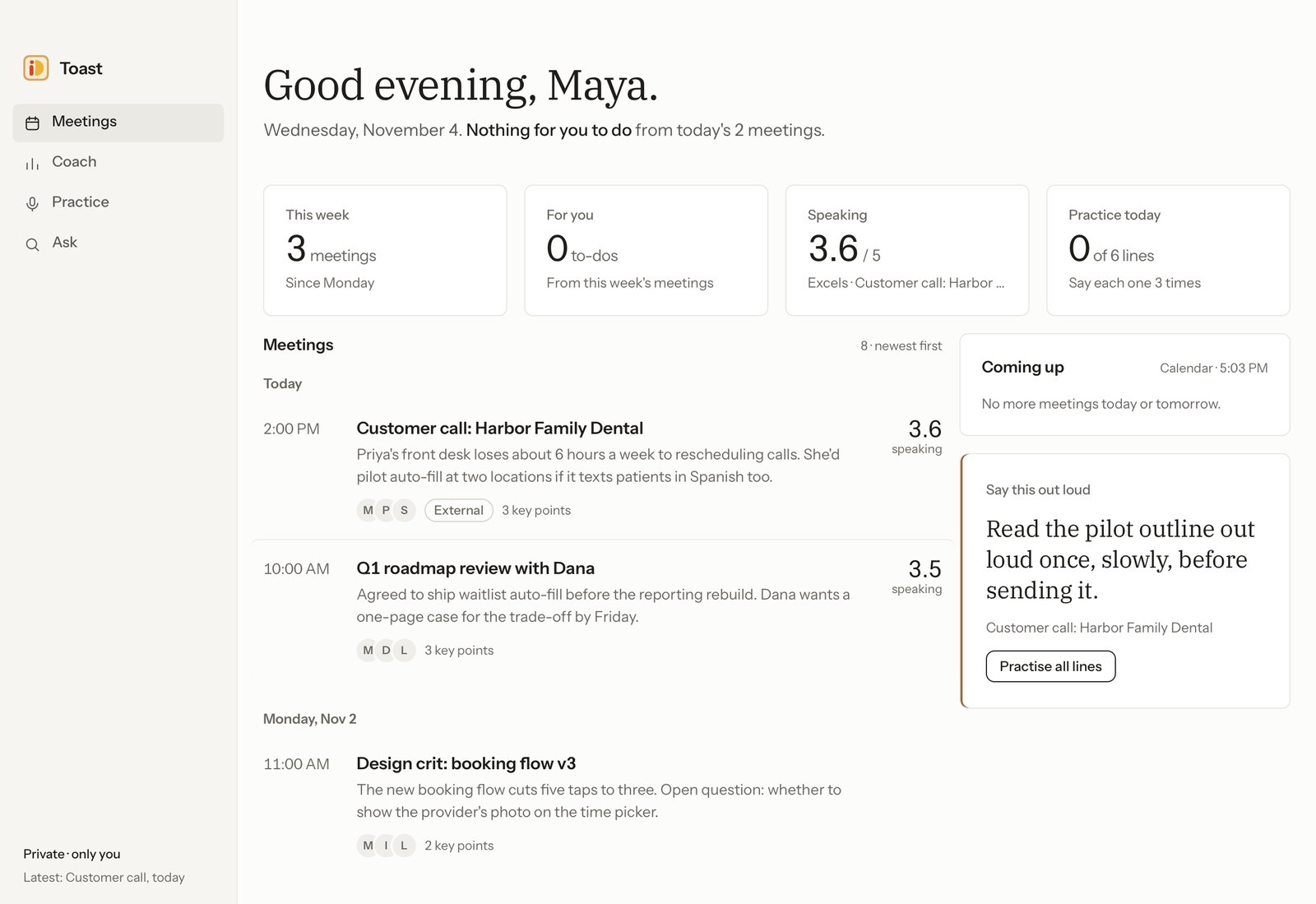
Before the call
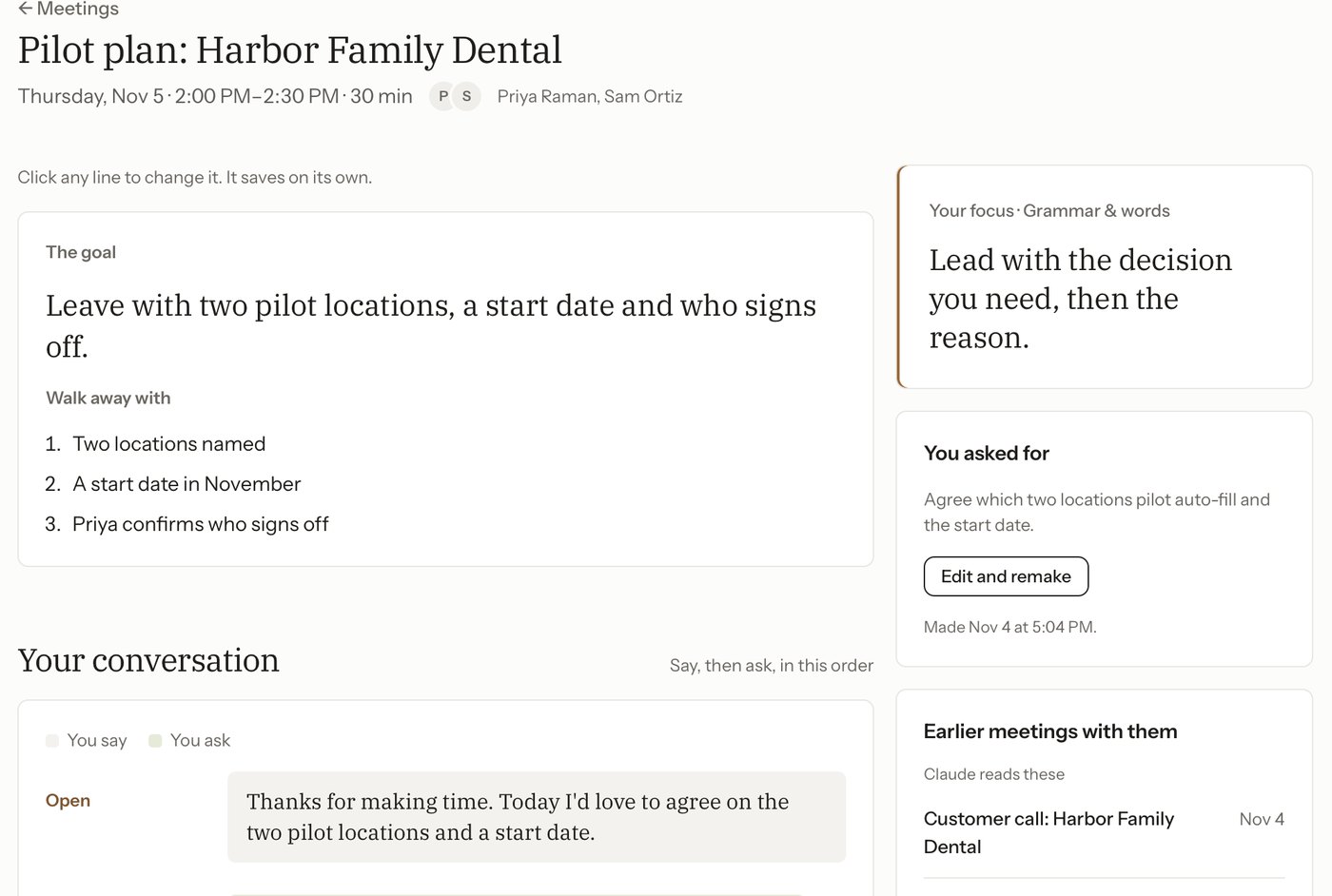
Open a meeting on your calendar and write what you want from it, in any language. Toast turns it into a short plan: the goal, what you'll say, the questions to ask and the rhythm of the call.
It reads your earlier meetings with the same people, so the plan picks up where you left off.
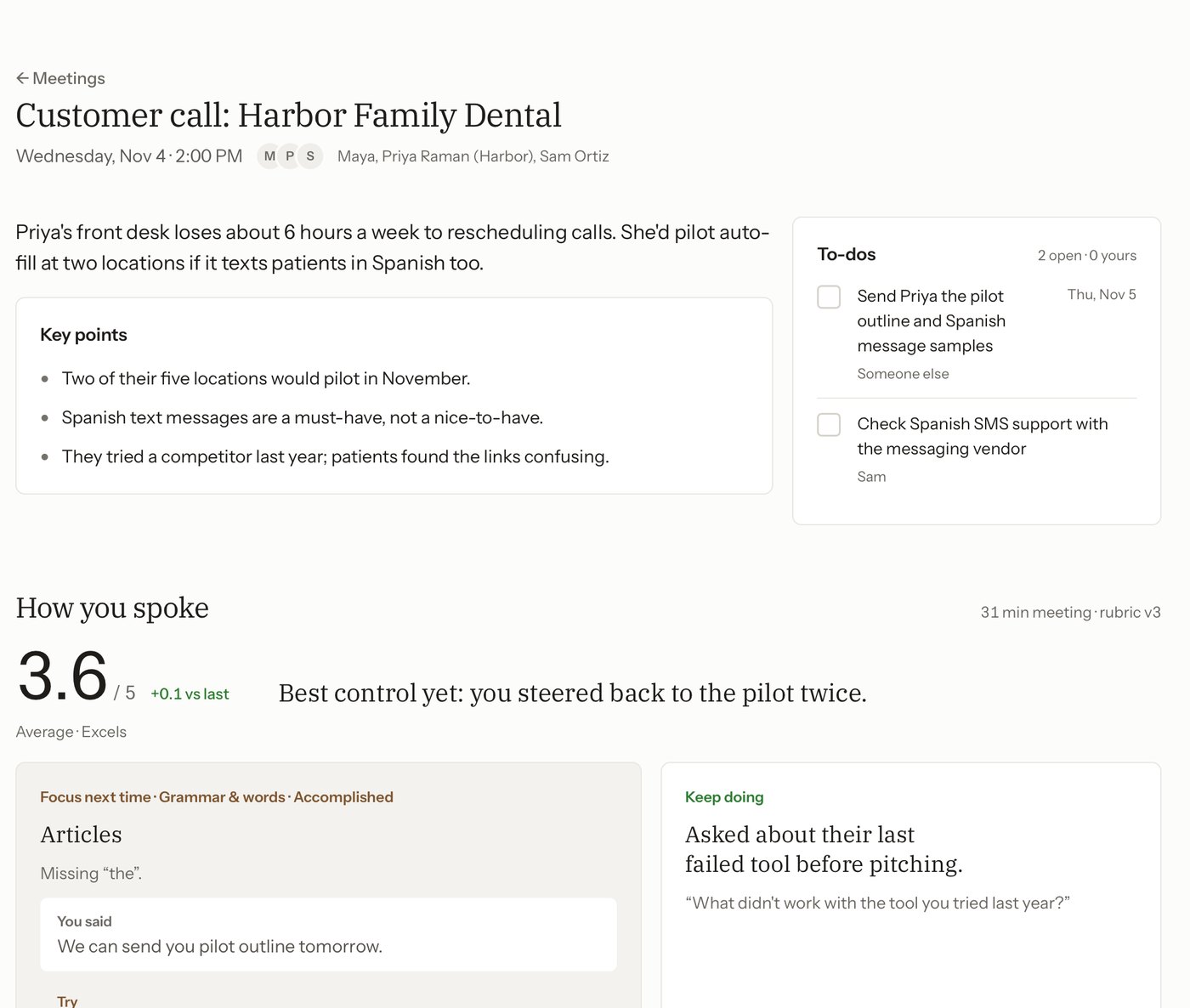
After the call
No bot joins. Toast records your voice and the call on separate tracks, and a minute or two after you hang up you have the key points, your to-dos and feedback on how you spoke, with your own words quoted.
So, um, I was looking at all of them and, like, there's a lot of stuff, but I think maybe rescheduling is kind of the thing.
Rescheduling is the biggest time sink. Seven of eight front desks said so.
A little better every week
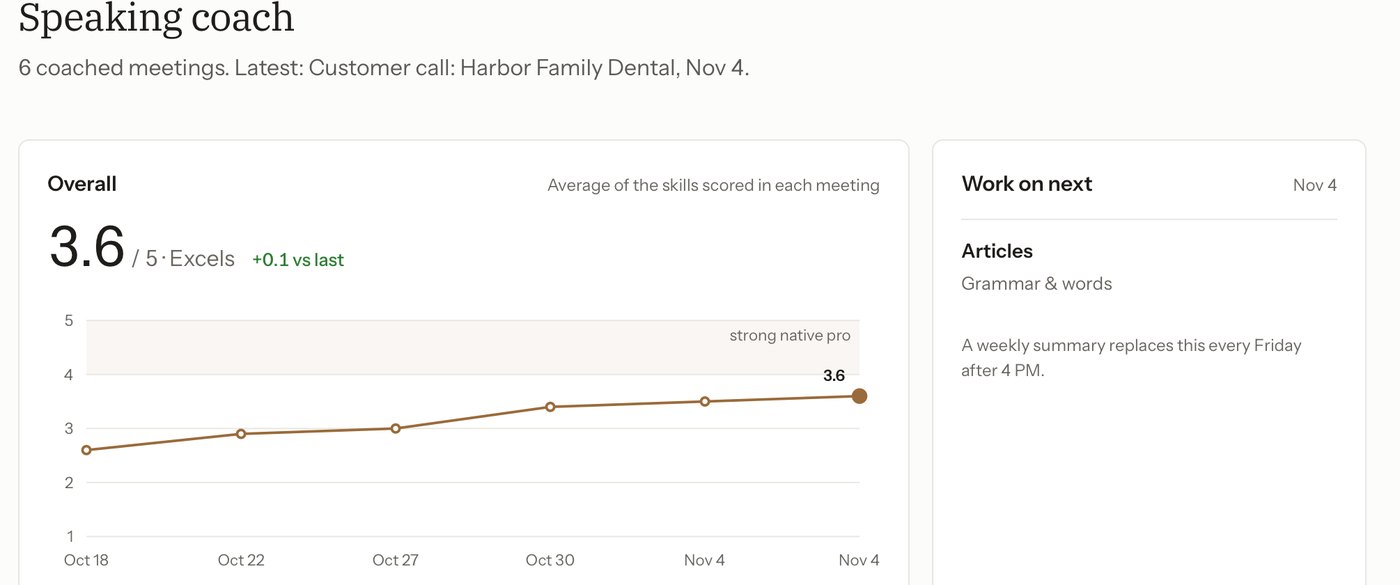
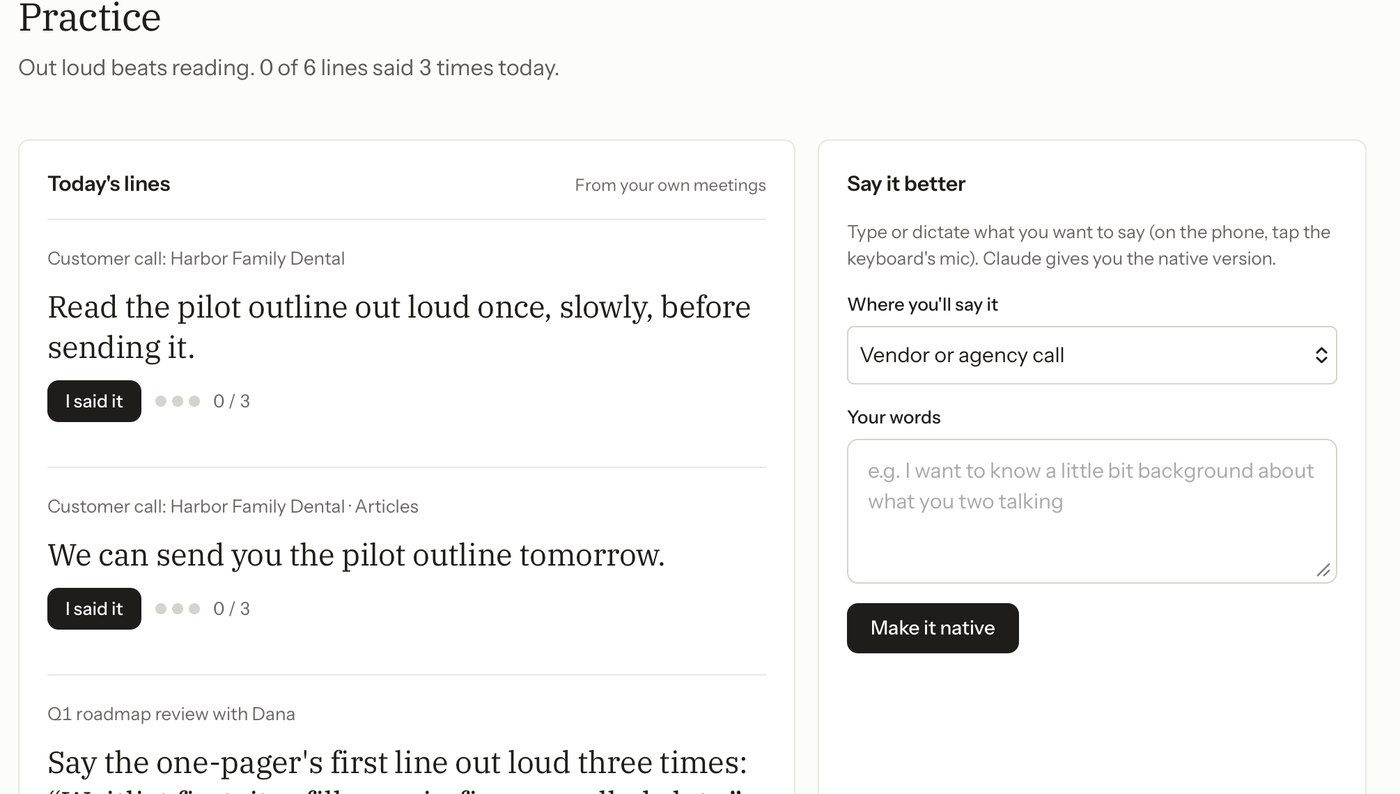
Each debrief scores seven speaking skills, from fluency to warmth. Toast turns your own sentences into lines to say out loud, and the chart shows whether the work is paying off.
It stays on your Mac
- Your recordings never leave this Mac. Audio, transcripts and debriefs are saved on it, and nowhere else.
- Nobody joins your call. Toast listens through your Mac, the way you do.
- Your own Claude does the writing. The transcript goes to Claude through your Claude Code, under your own plan. There is no Toast account and no Toast server.
Ready in ten minutes
Two steps, once. After that Toast starts with your Mac and waits for your next call.
Let people know you're recording. In California, everyone on a call has to agree.
Paste this into Terminal
curl -fsSL https://toast.vickylin.space/install.sh | bashThe same line updates Toast later. Works on company-managed Macs that block browser downloads.
Follow the setup
Needs a paid Claude plan: Pro, Max, Team or Enterprise.
Questions
What does it cost?
Toast is free. The writing is done by Claude Code under your own Claude plan (Pro, Max, Team or Enterprise), so there's nothing else to pay for.
Which calls does it record?
Zoom, Google Meet in your browser, Microsoft Teams and Slack huddles. It asks before recording a call that isn't on your calendar, and you can turn auto-record off.
Who can see my meetings?
Only you. Everything is saved on your Mac. The transcript goes to Claude to write the debrief, the same way it would if you pasted it into Claude yourself.
Which languages does it understand?
English. Toast writes the transcript on your Mac with Apple's speech recognition in English, and the speaking coach is built for English at work.
What does it need from my Mac?
macOS 14.2 or later on Apple silicon or Intel, your microphone, call audio and speech recognition. Your calendar is optional and makes prep work.